 Sign Release
Quick start guide
Your first release in five minutes
Everything you need to go from installing Sign Release to a signed release, ready to upload to your agencies.
1Step 1
Add your details and signature
Open Settings, fill in My details (name, address, email…) and draw your signature in My signature. You only do this once: both are added to every release, so each form only asks for the model's details.
Tip: While the app is empty, the home screen shows a three-step checklist that takes you straight there.
2Step 2
Create a release and choose the agencies
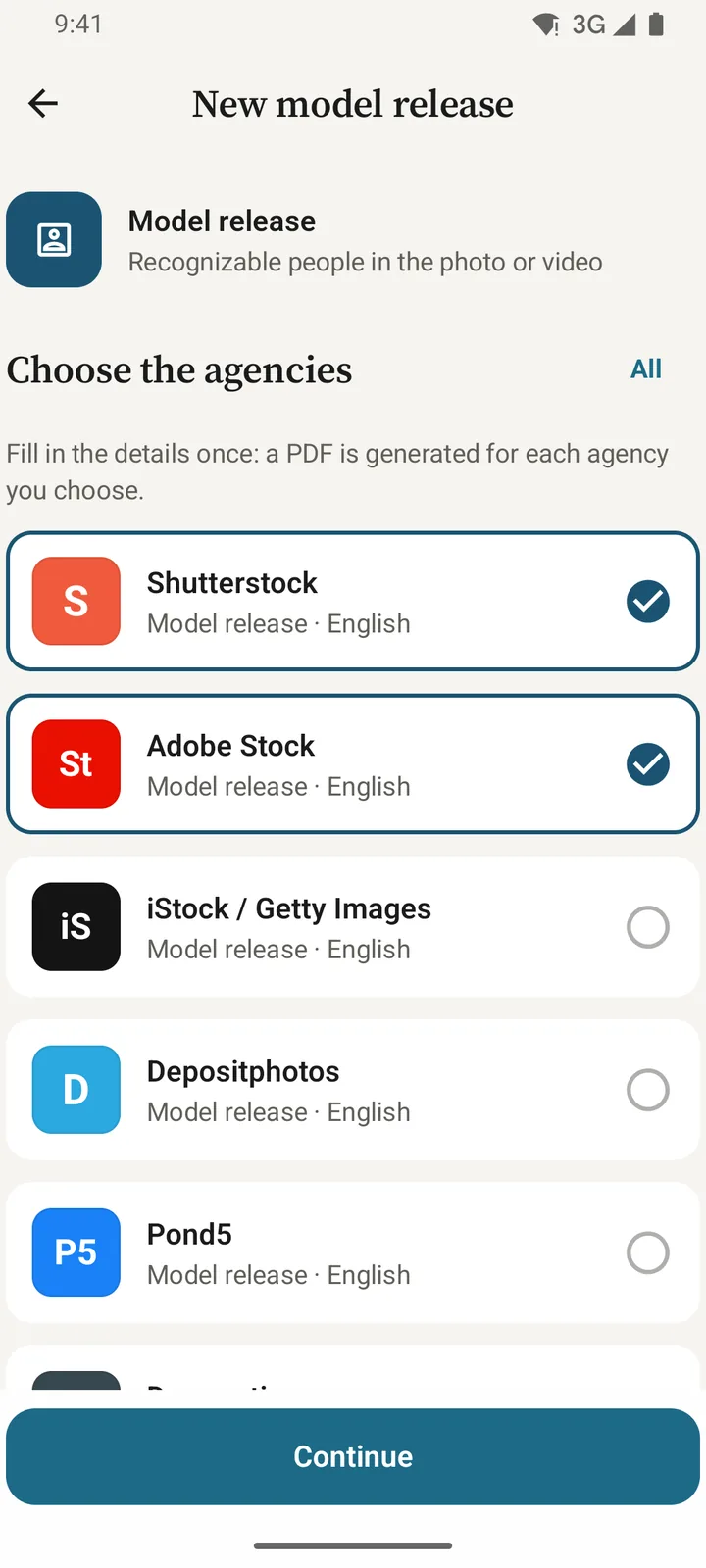
Tap New release and choose what you need: a model release, a property release or editorial consent. Then tick every agency you sell on. You fill in the details once and get one PDF for each agency.
Tip: Each agency's official form is filled in in your language when the agency publishes it; otherwise in English. You can change it in Settings › Form language.
3Step 3
Fill in the model's details and take the photo
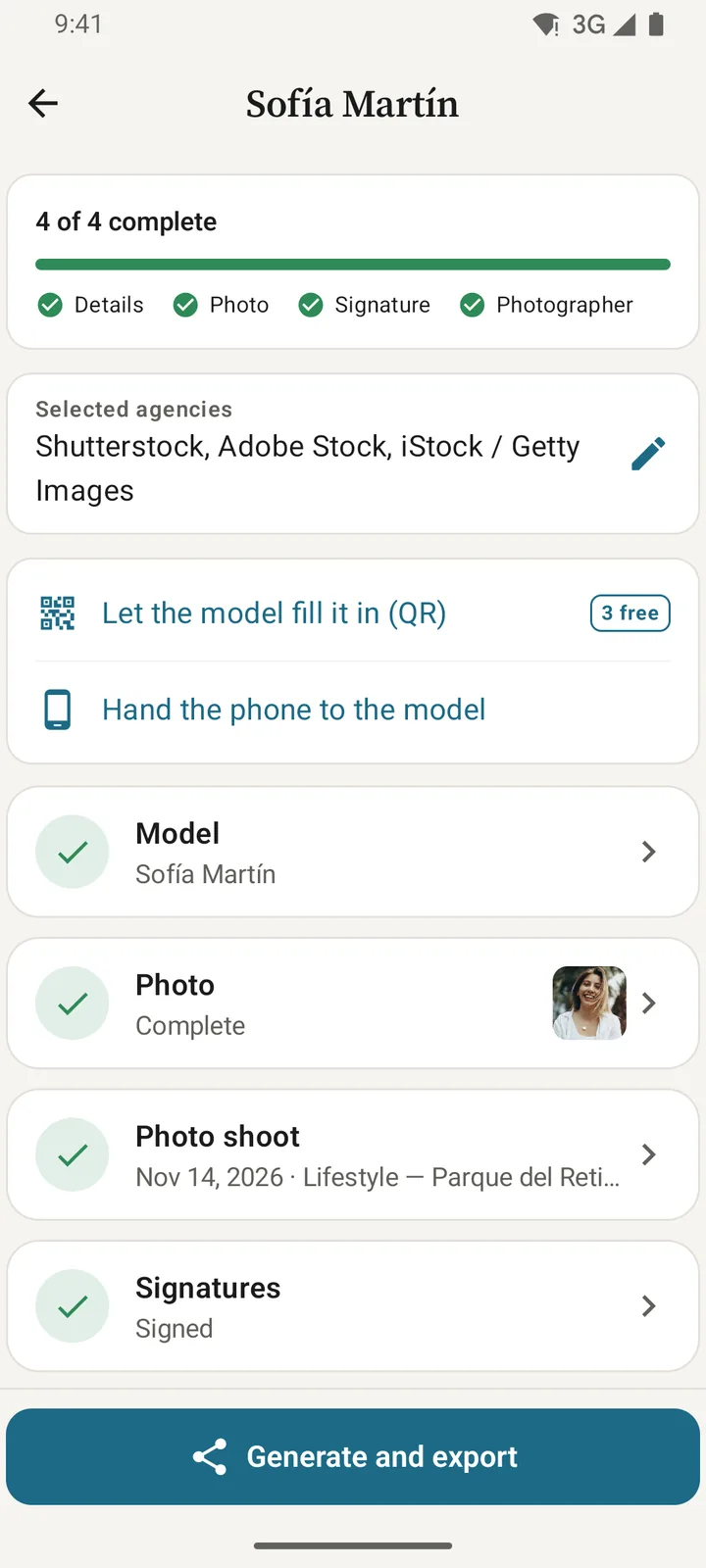
Type the model's name, date of birth and contact details; the bar at the top shows what's still missing. Then tap Take model photo and frame the face and shoulders inside the box, looking at the camera, with good light and no sunglasses or cap.
Tip: Model under 18? Turn on The model is a minor: the app switches to the agency's minor form and asks for the parent or guardian's details and signature. Worked with this model before? Tap Choose a saved model.
4Step 4
Get it signed
Choose how the model signs:
On your phone
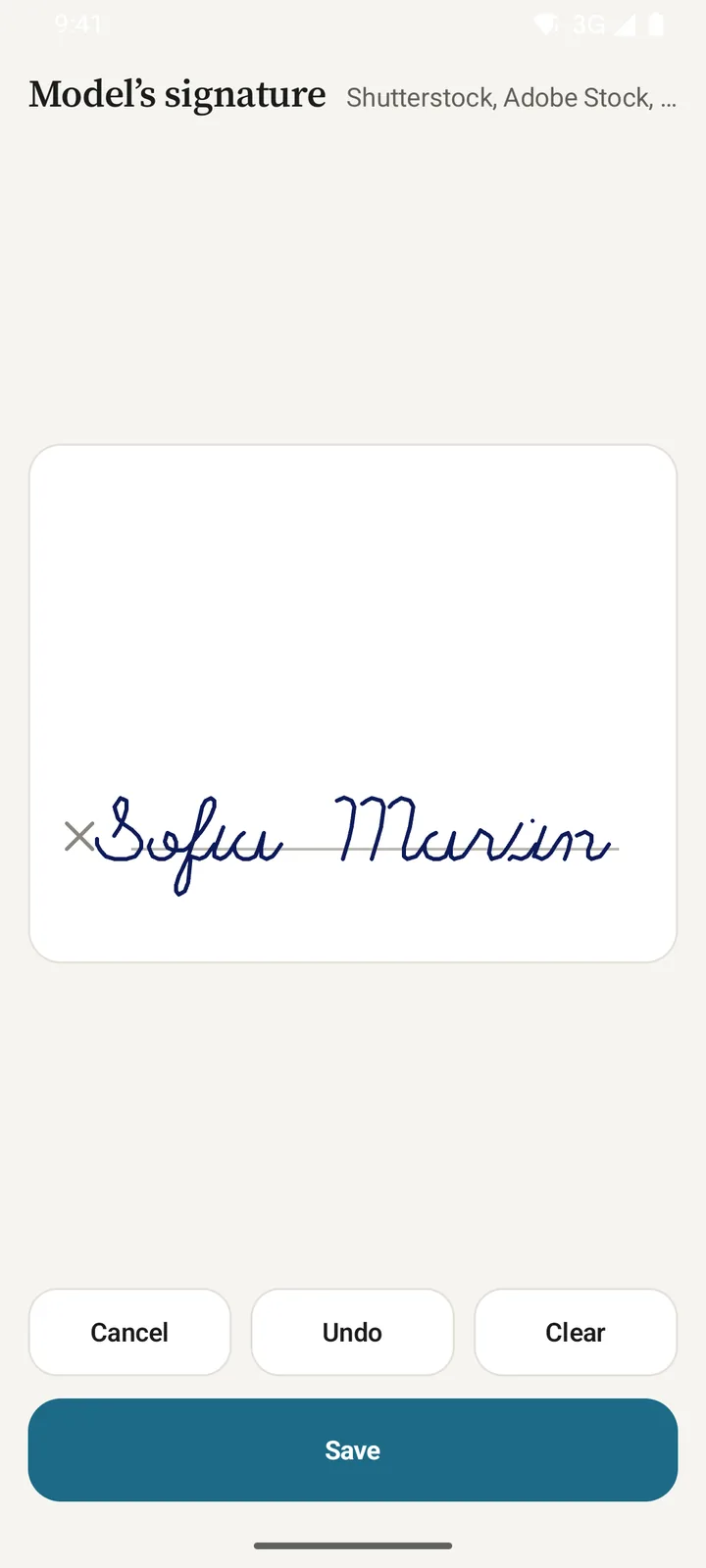
Tap Hand the phone to the model. The app switches to the model's language with large text: they read the agency's form, check their details and sign inside the box. Getting back into the app needs your fingerprint, face or PIN.
On the model's phone, with a QR code
Tap Let the model fill it in (QR). The model scans the code, or opens the link you send by WhatsApp, SMS or email, fills in their details, adds a photo and signs in the browser. Nothing to install: as soon as they send it, everything appears in your release.
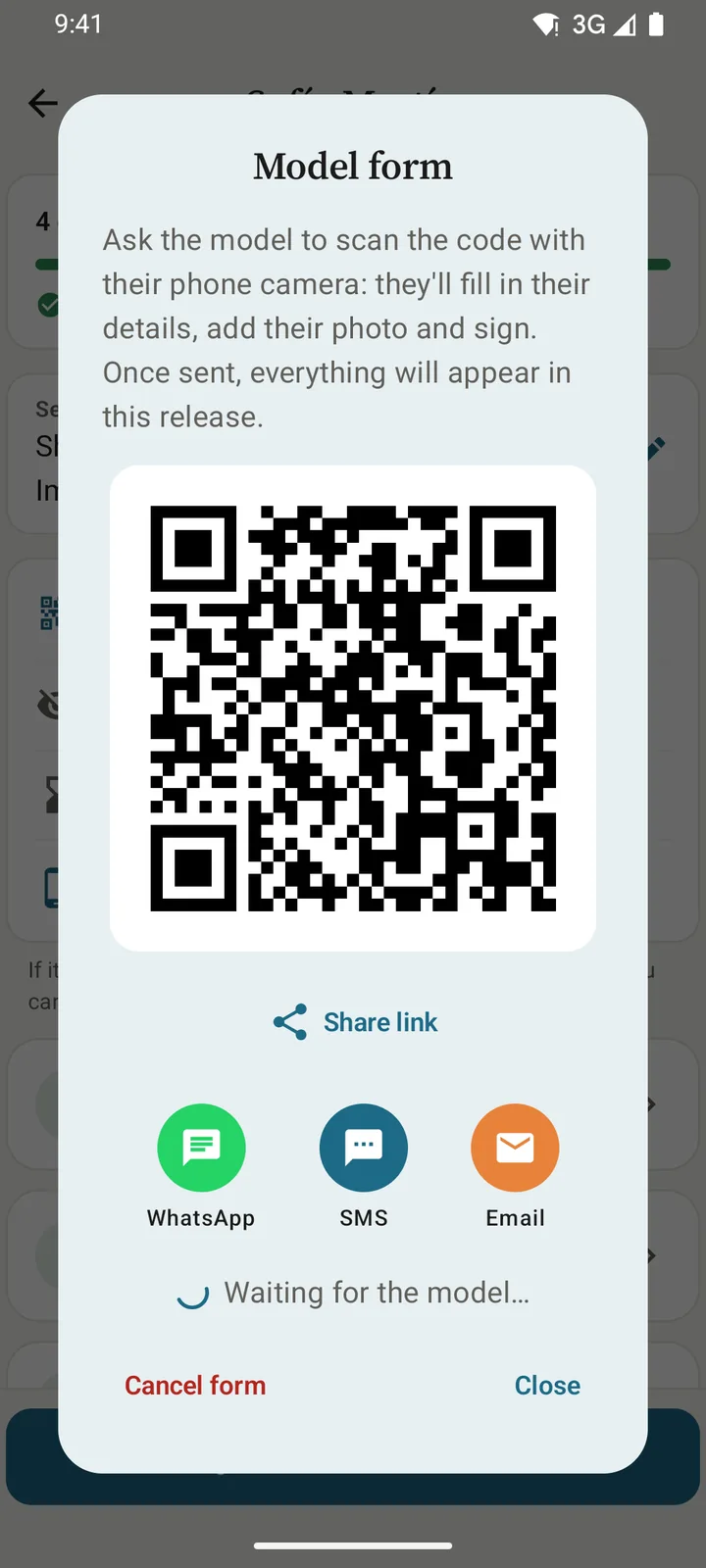
Tip: With the QR code you see when the model opens the form and get a notification when they sign. If they haven't signed within 24 hours, the app reminds you to send the link again.
5Step 5
Export and upload
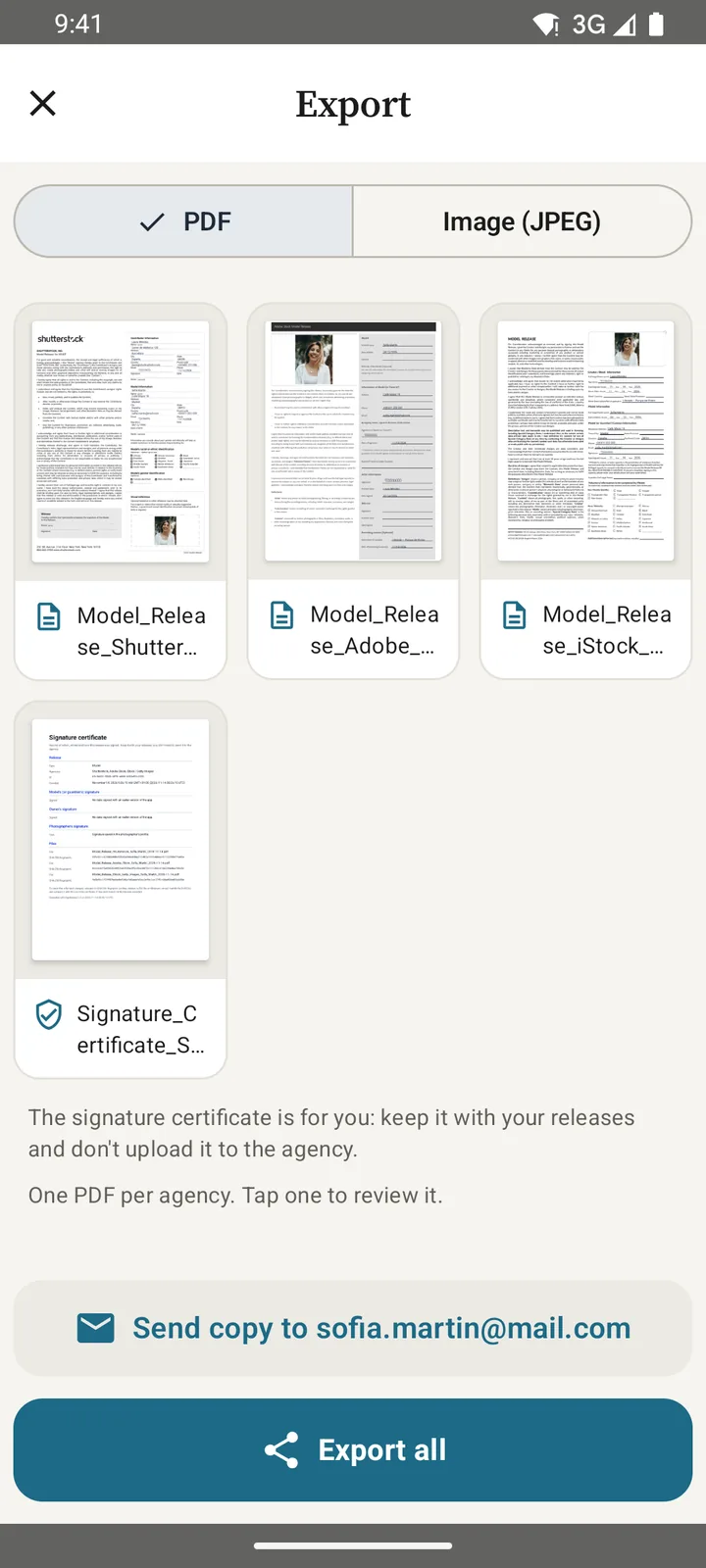
Tap Generate and export, choose PDF or Image (JPEG) (some agencies only accept images) and review each file. Then share or save them, and upload each one to its agency together with your photos.
Tip: The Signature certificate is a separate PDF with the date, time, device and location of each signature. It's for your records: don't upload it to the agency.
6Step 6
Find your releases later
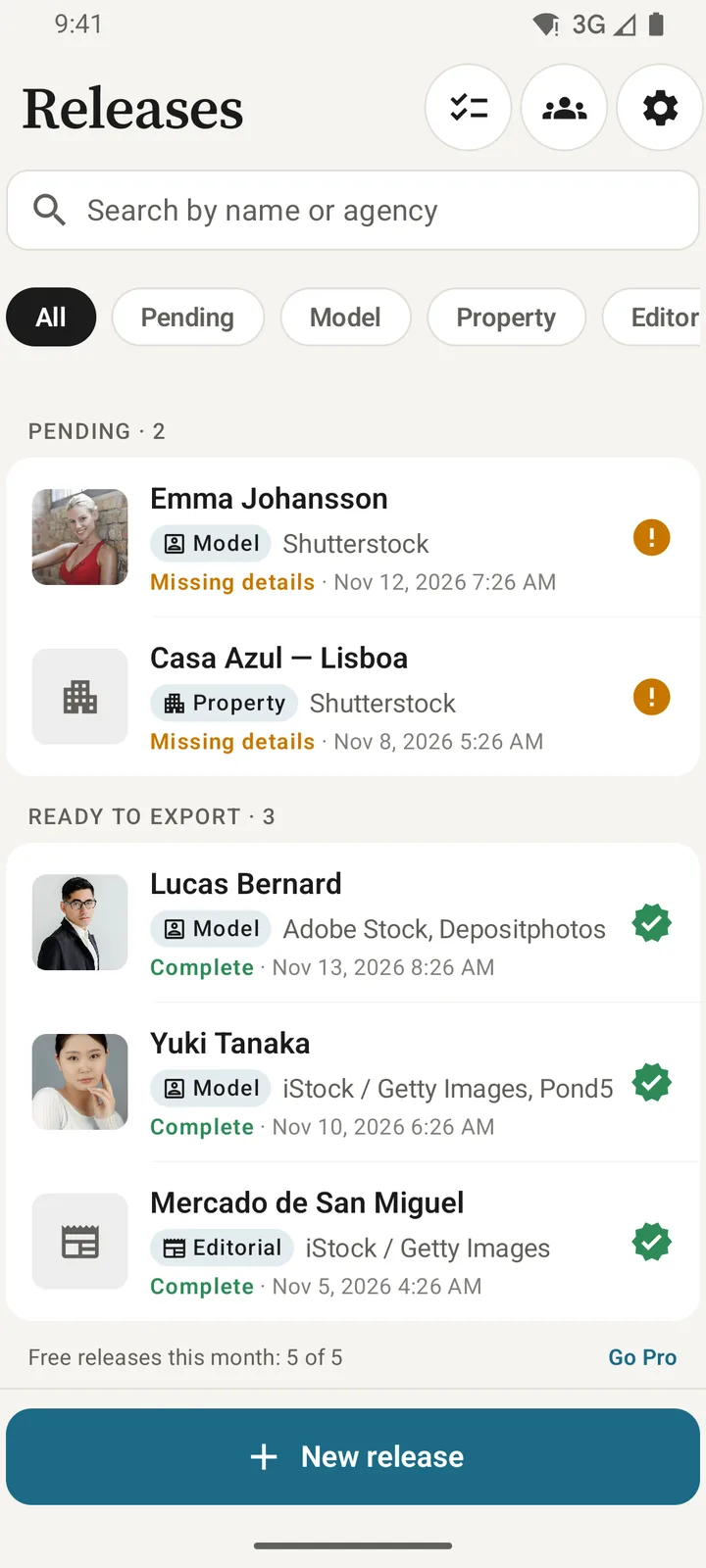
Releases are listed by date. Search by model or agency, filter the Pending ones and open the summary to see the photo, the details and the PDFs, and to export again whenever you need.
Also worth knowing
Groups
One QR code for a whole shoot: each model fills in and signs their own release on their phone, and you see who has signed and who is missing.
Property and editorial
Property releases for buildings, interiors or artwork, and editorial consent, each with its own form.
Backup
Choose a folder in Google Drive, Dropbox, iCloud Drive or another files app in Settings › Backup, and every exported release is copied there.
App lock
Ask for your fingerprint, face or PIN when the app opens, so nobody else sees your models' details.
Works offline
Filling in, signing and exporting work without a connection. The QR form needs a connection on both phones.
Your data stays on your phone
Releases, photos and signatures are stored on the device. QR forms are deleted from the server once your phone receives them.
Free and Pro
The free version includes 5 releases, 3 QR or link forms and 1 group a month, with every agency and language. Pro removes the limits and adds batch export and custom templates with your own text and logo.
If something doesn't work
The app says details are missing
Tap the warning to see which fields are empty. Agencies reject incomplete releases, so the app checks before you export.
My signature isn't on the PDF
Add it in Settings › My signature. It goes in the photographer's signature box of every form.
The model's QR form hasn't arrived
Check that both phones are online and that the model tapped send at the end of the form. You can send the link again with Share link.
The agency's form isn't in my language
Not every agency publishes its form in every language. When there's none in yours, the app uses the English form.
Still stuck? Write to support@signrelease.app and we'll help you.
Ready for your next shoot
Download Sign Release free and try it with your first five releases.
Get it on Google PlayiPhone version on the way.