 Sign Release
For stock photographers · Model and property releases
Sign the release on set. Deliver it to every agency.
Sign Release fills in the forms of Shutterstock, Adobe Stock, iStock and six more agencies with details you type only once. The model signs on your phone or on hers, and you export one PDF per agency.
- 9stock agencies
- 34languages
- 5free releases a month
Supported forms
 Shutterstock
 Adobe Stock
 iStock / Getty Images
- Alamy
 Depositphotos
 Dreamstime
 123RF
 Pond5
- Vecteezy
How it works
From the shoot to the agency in four steps.
No scanning paper, no copying the same details into every website. What used to be three different forms is now one.
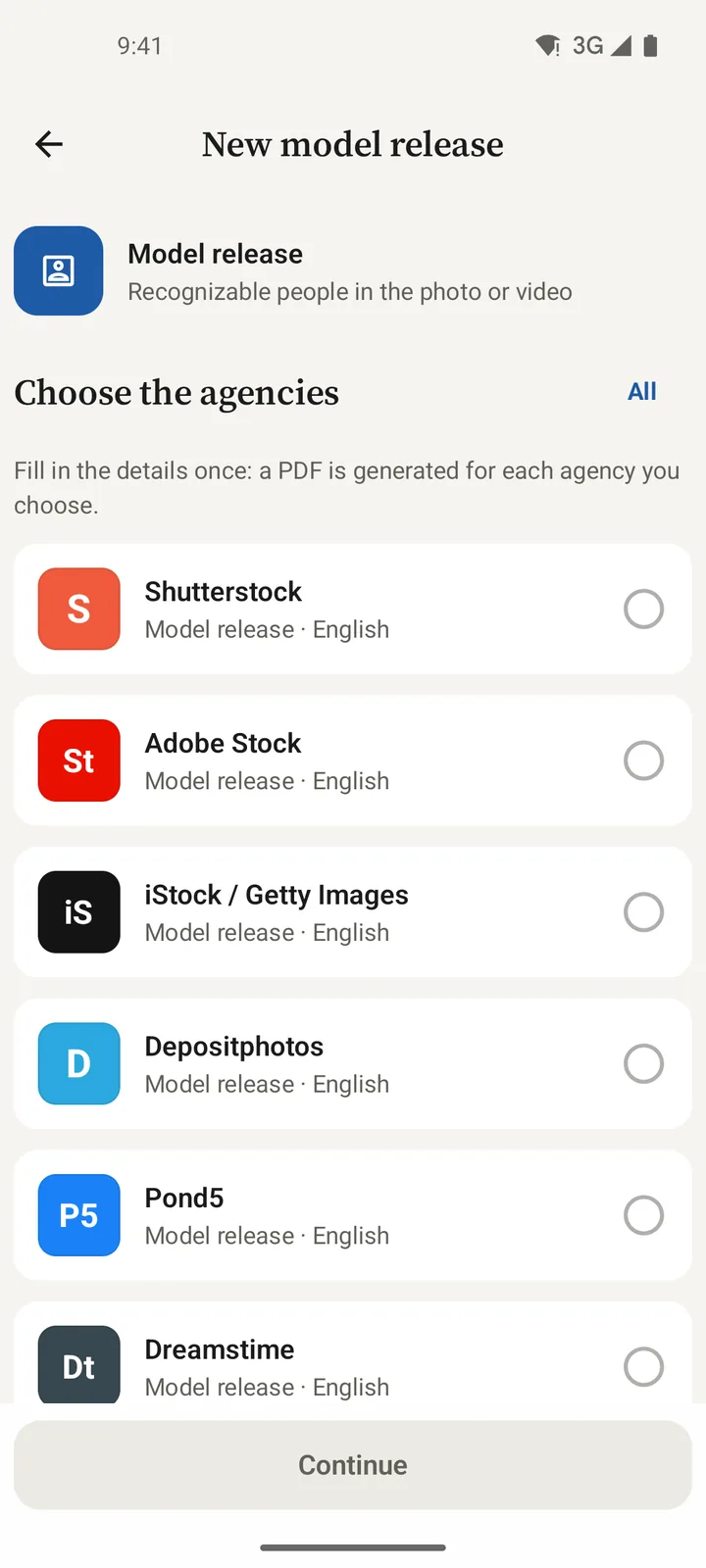
Pick the agencies
Tick one or several. The app uses the form each agency publishes, in its language.
Fill in once
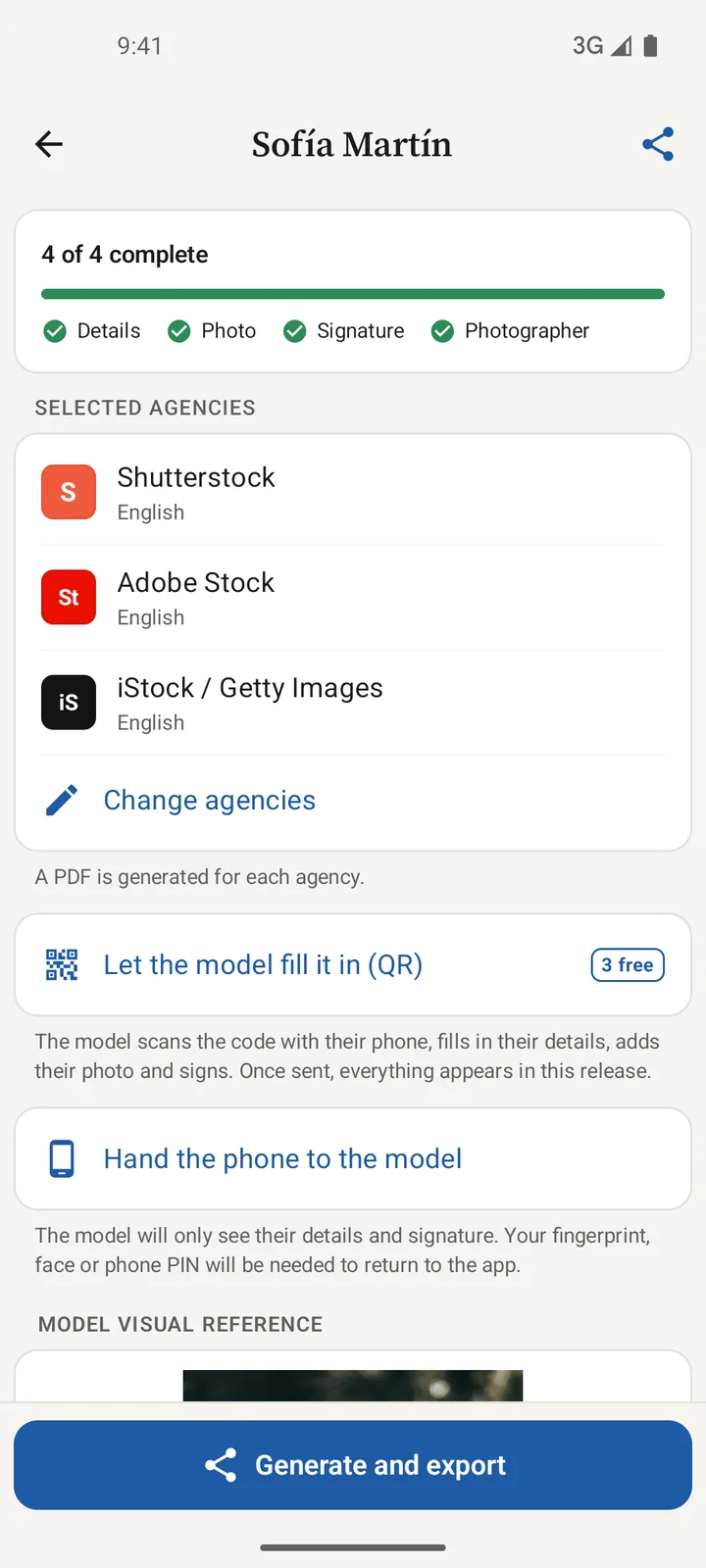
Your photographer details and signature are added for you. You only type the model's, and the app flags what's missing.
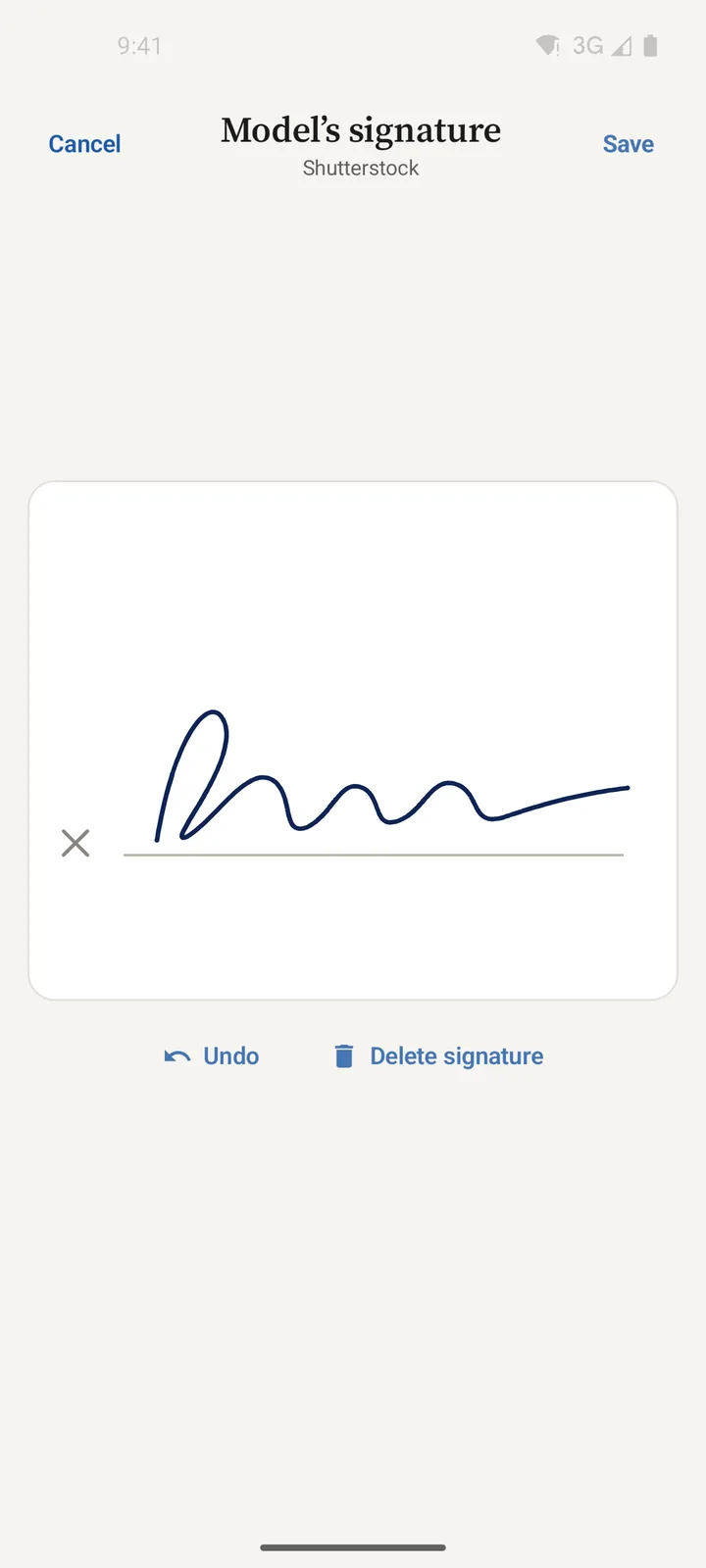
Sign on set
Hand your phone to the model, with large text in her language, or send her a QR code to sign on her own phone.
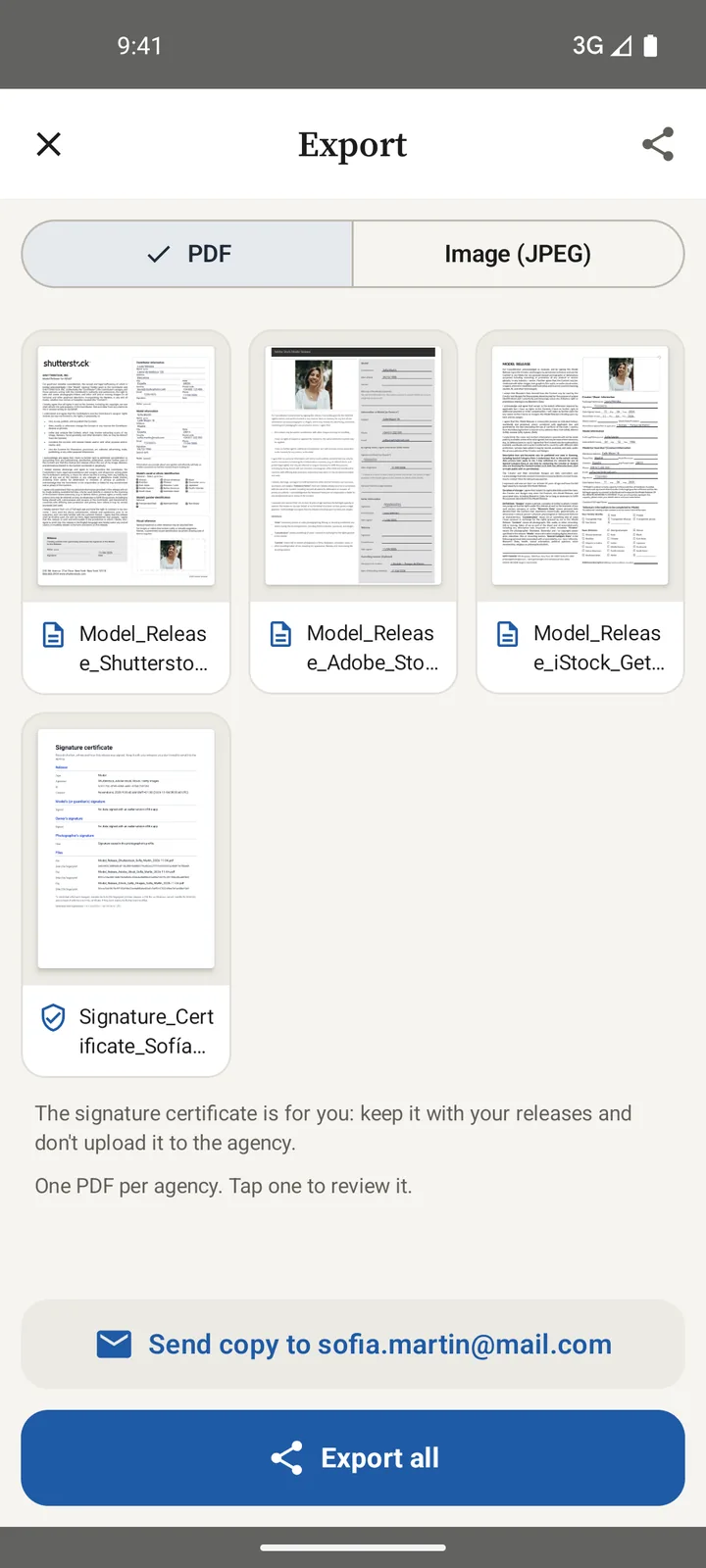
Export and upload
One PDF per agency (or JPEG if they ask for it), ready to upload with your photos, plus a signing certificate for you.
Remote signing
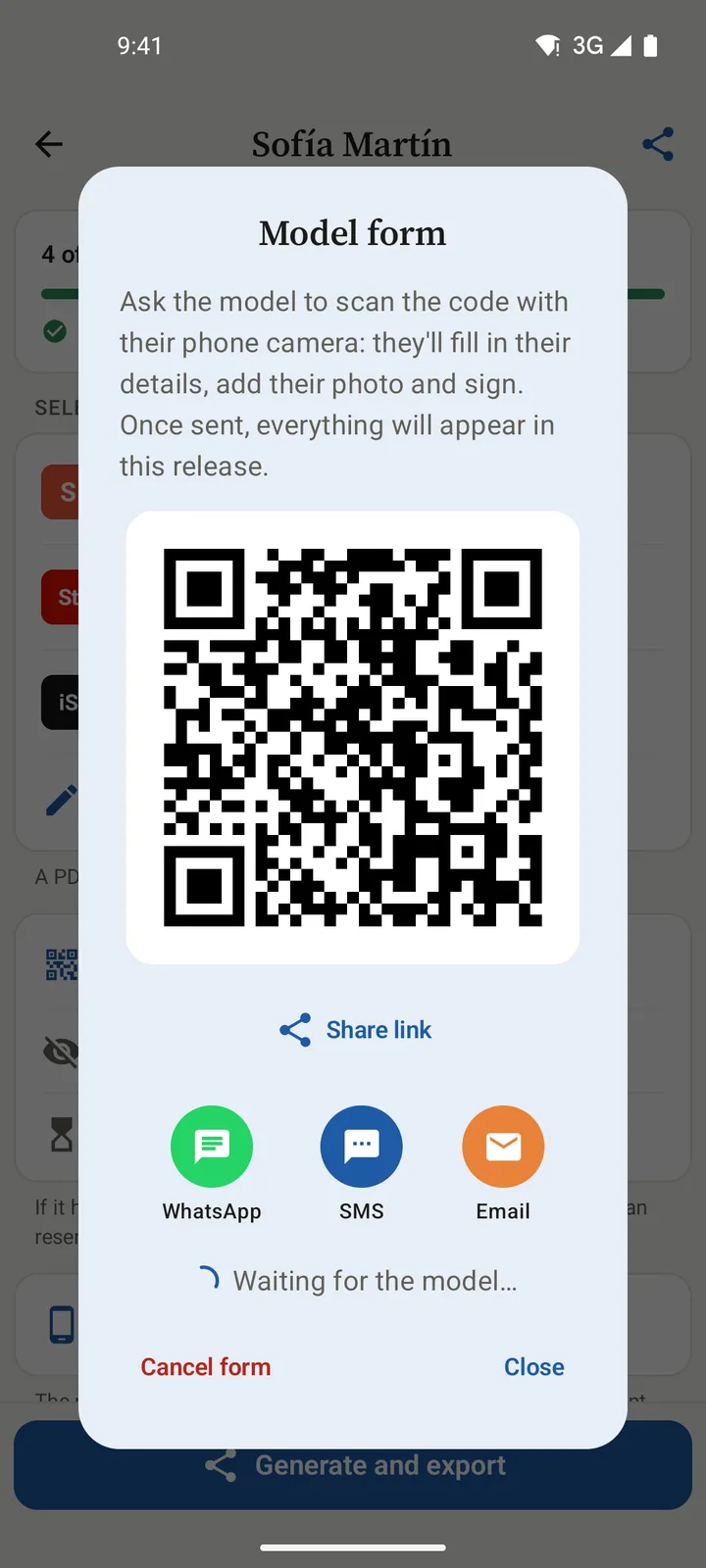
The model signs on her phone, with nothing to install.
Show her a QR code or send the link. She fills in her details, adds her photo and signs in the browser; when she sends it, everything appears in your release.
- QR, WhatsApp, SMS or email. The link goes straight to her phone number or email.
- Know where it stands. See when she opens it and get notified the moment she signs.
- Shoots with many models. One QR code for the whole group: each model fills in her own.
- A well-framed photo. Camera with a frame and cropping for the reference photo.
What sets us apart
Built for photographers who sell on several agencies.
Release apps usually give you a generic template. Sign Release works with each agency's own form and with the way you work on a shoot.
Each agency's own form
Fills in, field by field, the PDF each agency publishes, including the minor's form when the agency has its own.
Once, every agency
The same details produce one PDF for each agency you pick. No retyping names, dates or signatures.
The model signs without the app
Web form by QR code or link, with tracking. Her details, photo and signature arrive on your phone automatically.
Signing certificate
Date, time, device and, with your permission, the location of every signature, in a separate PDF for your records.
34 languages
The app speaks your language, and model mode switches to hers so she understands what she signs.
Model, property and editorial
Model releases, property releases and editorial consent in one app, each with its own form.
It tells you what's missing
Progress always in view, and a warning about the details that usually get releases rejected, before you export.
Your data stays on your phone
Releases, photos and signatures are stored on the device. Only the QR form goes through the server, and it's deleted once received.
Everything in order
Every release, one tap away.
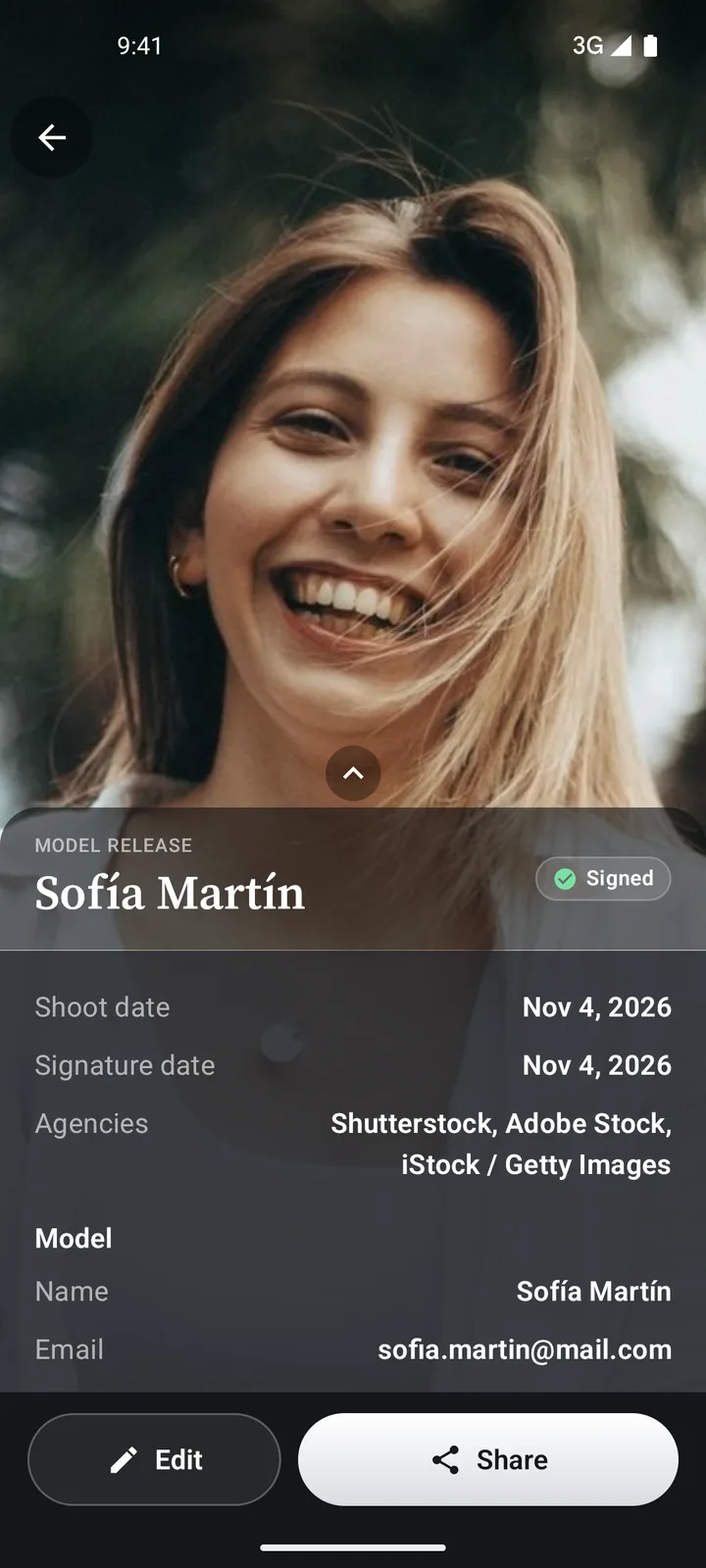
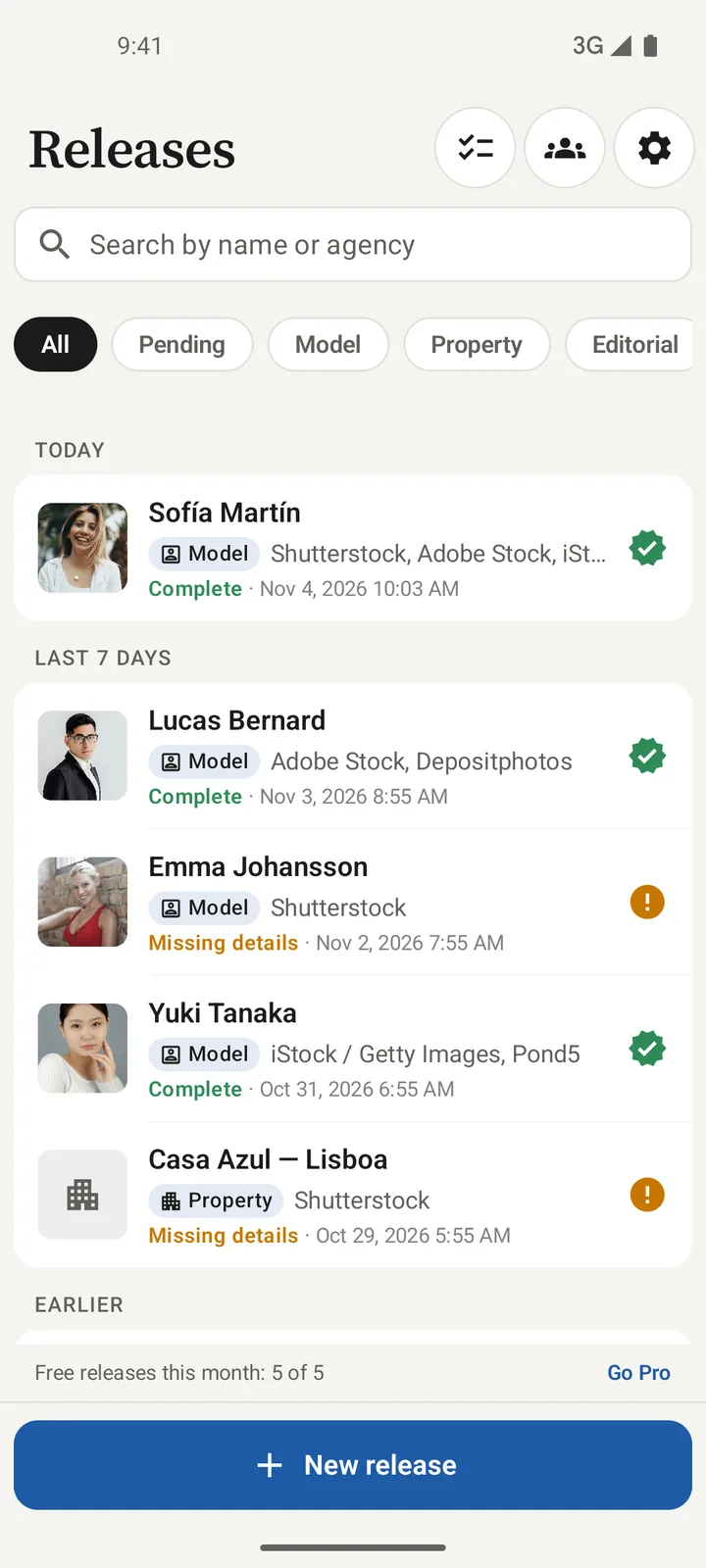
Search by name or agency, filter the pending ones and open the summary with the model's photo and details. Share from there.
- Summary at a glance. Photo, dates, agencies, model and photographer, with the PDF preview.
- PDF or JPEG. Some agencies only accept images: you choose the format when exporting.
- Backup. Save the PDFs to Drive, Dropbox or any folder you choose.
Pricing
Start free. Go Pro when you need it.
Every agency and language is included in both versions.
Free
For occasional shoots
- 5 releases a month
- 3 QR or link forms a month
- 1 group a month
- Every agency and language
- PDF, JPEG and signing certificate
Pro
Price on Google Play
- Unlimited releases
- Unlimited QR and link forms
- Unlimited groups
- Export several releases at once
- Custom templates with your text and logo
FAQ
What people usually ask.
Do agencies accept these releases?
The app fills in the form each agency publishes. Acceptance depends on the details being complete and correct and on each agency's review; the app flags anything missing before you export.
Does the model need to install anything?
No. She can sign on your phone (model mode) or on hers, in the browser, by scanning the QR code or opening the link you send.
Where is the data stored?
On your phone. It only leaves it if you use the QR form (kept on the server until your phone downloads it, then deleted), backup or email. More in the privacy policy.
Does it work offline?
Filling in, signing and exporting, yes. The QR or link form needs a connection on both phones.
What if the model is a minor?
The app asks for the details and signature of the parent or legal guardian, and uses the minor's form when the agency has its own.
Is there an iPhone version?
It's on the way. Meanwhile, the model's form works on any phone, iPhone included.
Your next shoot, with releases signed before you pack up.
Download it free and try it with your first five releases.